mp4svg
Mp4svg
Convert MP4 videos to SVG files using various encoding methods. Supports 6 different methods for embedding video data in SVG containers with robust browser playback, including in-SVG video players.
Icons:
Size:
Video:
[➤] Kliknij na poniższy obraz, aby uruchomić video SVG
➤ Zobacz działające video w SVG - kliknij tutaj
(Otwórz w nowej karcie przeglądarki - pełna interaktywność z audio)

💡 Dlaczego nie działa inline?
GitHub i inne platformy markdown blokują JavaScript w SVG z bezpieczeństwa.
Aby zobaczyć działające video z kontrolkami - otwórz link powyżej! 🎬
PLayer
✨ Features
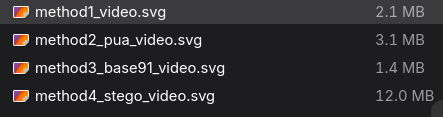
- 6 Encoding Methods: Polyglot, ASCII85, Base64, Vector, QR Code, Hybrid
- In-SVG Video Player: Play videos directly inside SVG using foreignObject
- IndexedDB Fallback: Robust browser video playback with multiple fallback layers
- Perfect Fidelity: Lossless video embedding with extraction capability
- Browser Compatible: Works across all modern browsers
- Multiple Interfaces: CLI, Python API, REST API, gRPC, Interactive Shell
- Comprehensive Testing: Full test suite with integrity validation
🚀 Quick Start
Installation
# Install from PyPI
pip install mp4svg

# Or install from source
git clone https://github.com/veridock/mp4svg.git
cd mp4svg
pip install -e .
Basic Usage
# Convert using different methods
mp4svg video.mp4 output.svg --method polyglot    # 0% overhead
mp4svg video.mp4 output.svg --method ascii85     # 25% overhead
mp4svg video.mp4 output.svg --method base64      # 33% overhead (NEW!)
mp4svg video.mp4 output.svg --method vector      # Lossy conversion
mp4svg video.mp4 output.svg --method qr          # QR code encoding
mp4svg video.mp4 output_dir/ --method hybrid     # Compare all methods

# Extract video from SVG
mp4svg output.svg extracted.mp4 --extract
📋 Available Methods
| Method | Overhead | Fidelity | Browser Playback | Best For |
|---|---|---|---|---|
| polyglot | 0% | Perfect | ✅ In-SVG player | Minimum file size |
| ascii85 | 25% | Perfect | ✅ In-SVG player | Efficient encoding |
| base64 | 33% | Perfect | ✅ In-SVG player | Maximum compatibility |
| vector | ~90% smaller | Lossy | ❌ Visual only | Artistic/animation |
| qr | Variable | Perfect | ❌ Requires scanner | Interactive/unique |
| hybrid | N/A | Analysis | ✅ Comparison | Method comparison |
Features
- Working Video Playback: IndexedDB fallback system bypasses browser limitations for actual SVG video playback
- 6 Encoding Methods: ASCII85, Polyglot, Vector Animation, QR Code, Base64, and Hybrid comparison
- XML-Safe Embedding: Proper handling of binary data in SVG/XML context
- Interactive SVG: Embedded JavaScript with multiple fallback methods for maximum compatibility
- Thumbnail Previews: Base64 JPEG thumbnails for system/browser compatibility
- Data Integrity: Built-in validation and checksum verification (100% fidelity)
- Multiple Interfaces: CLI, REST API, gRPC, MCP server/client, interactive shell
- Performance Analytics: Hybrid method compares all approaches with detailed metrics
- Extensible Architecture: Modular converter design for easy extension
Installation
From PyPI (Recommended)
pip install mp4svg
From Source
git clone https://github.com/veridock/mp4svg.git
cd mp4svg
poetry install  # or pip install -e .
Dependencies
- Python 3.8.1+
- OpenCV (cv2)
- NumPy
- Pillow (PIL)
- qrcode[pil]
- lxml
- Flask (for REST API)
- grpcio (for gRPC server)
Quick Start
Command Line Usage
# Convert MP4 to SVG with working video playback (ASCII85)
mp4svg --method base64 input.mp4 output.svg

# Convert MP4 to SVG with working video playback (ASCII85)
mp4svg --method ascii85 input.mp4 output.svg

# Extract MP4 from any SVG (auto-detects method)
mp4svg --method ascii85 --extract output.svg extracted.mp4

# Compare ALL methods and get detailed metrics
mp4svg --method hybrid input.mp4 comparison_results/

# Smallest file size (lossy, but 90% smaller with gzip)
mp4svg --method vector --max-frames 30 input.mp4 vector_output.svg

# Zero SVG overhead (steganographic, perfect fidelity)
mp4svg --method polyglot input.mp4 polyglot_output.svg

# Visual QR code representation (memvid-style)
mp4svg --method qr --chunk-size 1024 input.mp4 qr_output.svg
Performance Comparison
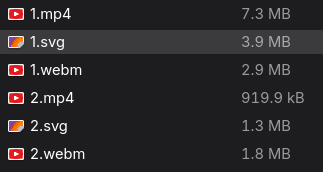
Based on a 919,944 byte MP4 file:
| Method | Output Size | Ratio | Overhead | Best For |
|---|---|---|---|---|
| Vector | 394,429 bytes | 0.4x | -57.1% | Smallest with gzip |
| Polyglot | 1,258,575 bytes | 1.4x | +36.8% | Zero SVG overhead |
| ASCII85 | 1,575,719 bytes | 1.7x | +71.3% | Video playback |
| Base64 | 1,643,819 bytes | 1.8x | +78.5% | Maximum compatibility |
| QR Code | 3,144,230 bytes | 3.4x | +241.8% | Visual/memvid style |
Video Playback Features
ASCII85 SVG files now support actual video playback in browsers!
How it works:
- Automatic decoding: JavaScript decodes ASCII85 to MP4 bytes
- Multiple fallback methods:
- Direct video.play() attempt
- Video controls simulation
- Pop-up video player
- IndexedDB + new window (bypasses SVG limitations)
- Final fallback to download
Browser Compatibility:
- Chrome/Edge: IndexedDB fallback working
- Firefox: IndexedDB fallback working
- Safari: IndexedDB fallback working
- Mobile browsers: Download fallback
🎨 Encoding Methods Detailed
1. ASCII85 Encoder (Recommended for Video Playback)
- Overhead: ~25% (base85 encoding)
- Features: Working video playback via IndexedDB, thumbnail preview
- Use case: Interactive SVG with actual video playback capabilities
- Browser support: Universal (with multiple fallbacks)
2. Polyglot Encoder (Most Efficient)
- Overhead: ~0% for SVG viewing (data hidden in comments)
- Features: Perfect steganography, invisible embedding
- Use case: When SVG file size matters, steganographic applications
- Extraction: Requires extraction to play video
3. Vector Encoder (Smallest with Compression)
- Overhead: -57% (lossy conversion to SVG paths)
- Features: ~90% smaller with gzip, pure SVG animation
- Use case: Approximate visual representation, web delivery
- Quality: Lossy but visually representative
4. QR Code Encoder (Visual/Memvid Style)
- Overhead: +240% (visual QR encoding)
- Features: Visual interest, memvid compatibility, scannable
- Use case: Artistic projects, social media, visual appeal
- Extraction: Requires QR scanning or extraction tool
5. Base64 Encoder (Maximum Compatibility)
- Overhead: ~33% (base64 encoding)
- Features: Maximum compatibility, working video playback
- Use case: When compatibility is key, and file size is not a concern
- Browser support: Universal (with multiple fallbacks)
6. Hybrid Method (Comparison Tool)
- Function: Tests ALL methods and provides detailed comparison
- Output: Complete analysis report with metrics
- Use case: Choosing optimal method for specific requirements
- Features: Performance benchmarking, size analysis
🛠️ Multiple Interface Options
Command Line Interface (CLI)
# Direct usage
mp4svg --method ascii85 input.mp4 output.svg

# With all options
mp4svg --method vector --max-frames 30 --edge-threshold 50 input.mp4 output.svg
Interactive Shell
# Launch interactive shell
mp4svg-shell

# Interactive commands available:
convert input.mp4 output.svg --method ascii85
extract output.svg extracted.mp4
validate output.svg
benchmark input.mp4
REST API Server
# Start REST API server
mp4svg-api --port 8000

# API endpoints available:
POST /convert - Convert MP4 to SVG
POST /extract - Extract MP4 from SVG
GET /validate - Validate SVG integrity
GET /docs - OpenAPI documentation
gRPC Server
# Start gRPC server
python -m mp4svg.grpc_server

# gRPC services:
Mp4SvgService.Convert()
Mp4SvgService.Extract()
Mp4SvgService.Validate()
Python API
from mp4svg.converters import ASCII85SVGConverter, PolyglotSVGConverter

# ASCII85 with video playback
converter = ASCII85SVGConverter()
svg_path = converter.convert('video.mp4', 'output.svg')

# Extract with integrity validation
success = converter.extract('output.svg', 'extracted.mp4')

# Polyglot steganography
polyglot = PolyglotSVGConverter()
svg_path = polyglot.convert('video.mp4', 'hidden.svg')

# Hybrid comparison
from mp4svg.converters import HybridConverter
hybrid = HybridConverter()
results = hybrid.convert('video.mp4', 'comparison_dir/')
SVG Validation
The package includes comprehensive validation utilities:
from mp4svg.validators import SVGValidator, IntegrityValidator

# Complete validation pipeline
def validate_conversion(original_mp4, generated_svg):
    # Structure validation
    svg_validator = SVGValidator()
    svg_result = svg_validator.validate_svg_file(generated_svg)

    if not svg_result['is_well_formed']:
        print("SVG is not well-formed XML")
        return False

    # Integrity validation
    integrity_validator = IntegrityValidator()
    integrity_result = integrity_validator.validate_integrity(
        generated_svg, original_mp4
    )

    if not integrity_result['data_integrity_valid']:
        print("Data integrity check failed")
        return False

    print(f"Validation successful: {svg_result['detected_format']} format")
    return True
Interactive SVG Features
Generated SVG files include:
- Thumbnail Preview: JPEG thumbnail for system compatibility
- Play Button: Click to decode and play video
- JavaScript Decoder: Built-in ASCII85/Base64 decoder
- Error Handling: Robust namespace and element selection
Project Structure
mp4svg/
├── src/mp4svg/
│   ├── __init__.py          # Package exports
│   ├── base.py              # Base converter class
│   ├── ascii85.py           # ASCII85 converter
│   ├── polyglot.py          # Polyglot converter
│   ├── vector.py            # Vector animation converter
│   ├── qrcode.py            # QR code converter
│   ├── base64.py            # Base64 converter
│   ├── hybrid.py            # Hybrid converter
│   ├── cli.py               # Command-line interface
│   └── validators/          # Validation utilities
│       ├── __init__.py
│       ├── svg_validator.py
│       └── integrity_validator.py
├── tests/                   # Test suite
├── pyproject.toml          # Poetry configuration
└── README.md               # This file
Testing
Run the test suite:
# Install development dependencies
pip install -e ".[dev]"

# Run all tests
pytest tests/

# Run specific test file
pytest tests/test_converters.py  # Converter tests
pytest tests/test_validators.py  # Validation tests
pytest tests/test_api.py         # API tests

# Run with coverage
pytest tests/ --cov=mp4svg --cov-report=html
Advanced Usage
Custom Conversion Settings
# ASCII85 with custom settings
converter = ASCII85SVGConverter()
converter.thumbnail_quality = 85
converter.max_size_mb = 50

# Polyglot with custom boundary
polyglot = PolyglotSVGConverter()
polyglot.chunk_size = 8192

# Vector with animation settings
vector = SVGVectorFrameConverter()
vector.frame_duration = 0.1
vector.edge_threshold = 100

# QR with error correction
qr = QRCodeSVGConverter(
    chunk_size=500,
    error_correction='H',  # High error correction
    border=2
)
Batch Processing
import os
from mp4svg import ASCII85SVGConverter

converter = ASCII85SVGConverter()

# Convert all MP4 files in directory
input_dir = '/path/to/videos/'
output_dir = '/path/to/svg_output/'

for filename in os.listdir(input_dir):
    if filename.endswith('.mp4'):
        input_path = os.path.join(input_dir, filename)
        output_path = os.path.join(output_dir, filename.replace('.mp4', '.svg'))

        try:
            converter.convert(input_path, output_path)
            print(f"Converted: {filename}")
        except Exception as e:
            print(f"Failed to convert {filename}: {e}")
🎬 Standalone Video to SVG Script
For simple use cases, use the included standalone script that generates clean SVG with <video> in <foreignObject>:
video_to_svg.py Usage
# Basic usage
python video_to_svg.py input.mp4 output.svg
python video_to_svg.py animation.webm result.svg

# With custom dimensions
python video_to_svg.py input.mp4 output.svg --width 800 --height 600

# Control video attributes
python video_to_svg.py input.mp4 output.svg --no-autoplay --no-loop --no-muted
Generated SVG Structure
<svg width="640" height="360" xmlns="http://www.w3.org/2000/svg">
  <foreignObject width="640" height="360">
    <body xmlns="http://www.w3.org/1999/xhtml">
      <video autoplay="true" loop="true" muted="true" width="640" height="360">
        <source src="data:video/mp4;base64,..." type="video/mp4" />
      </video>
    </body>
  </foreignObject>
</svg>
Features:
- ✅ Simple Base64 data URI embedding
- ✅ Clean SVG structure with
<video>in<foreignObject> - ✅ Automatic MIME type detection (MP4, WebM, OGG, etc.)
- ✅ Dimension detection (requires opencv-python)
- ✅ No external dependencies for basic functionality
- ✅ Web-ready defaults (autoplay, loop, muted)
🧪 Testing and Quality Assurance
Running Tests
# Run full test suite
pytest tests/

# Run specific test categories
pytest tests/test_converters.py  # Converter tests
pytest tests/test_validators.py  # Validation tests
pytest tests/test_api.py         # API tests

# Run with coverage
pytest tests/ --cov=mp4svg --cov-report=html
Continuous Integration
- ✅ Unit tests: All converter methods
- ✅ Integration tests: End-to-end workflows
- ✅ Validation tests: SVG integrity and XML compliance
- ✅ API tests: REST API and gRPC interfaces
- ✅ Cross-platform CI/CD - Automated testing and deployment
🐳 Docker Support
Using Docker
# Build Docker image
docker build -t mp4svg .

# Run conversion in container
docker run -v $(pwd):/data mp4svg mp4svg --method ascii85 /data/input.mp4 /data/output.svg

# Run API server in container
docker run -p 8000:8000 mp4svg mp4svg-api --host 0.0.0.0 --port 8000
Docker Compose
version: '3.8'
services:
  mp4svg-api:
    build: .
    ports:
      - "8000:8000"
    volumes:
      - ./data:/app/data
    command: mp4svg-api --host 0.0.0.0 --port 8000
🚀 Performance Tips
Optimization Strategies:
- Choose the right method:
- Vector for smallest files (with gzip)
- Polyglot for steganography
- ASCII85 for video playback
- Base64 for maximum compatibility
- QR for visual appeal
- Use hybrid for comparison:
mp4svg --method hybrid input.mp4 analysis/ - Optimize vector parameters:
# Fewer frames = smaller files mp4svg --method vector --max-frames 10 --edge-threshold 100 input.mp4 output.svg - Enable compression:
# Serve with gzip compression
gzip output.svg  # Can reduce vector SVGs by ~90%
🐛 Troubleshooting
Common Issues:
Video playback not working in browser?
- ✅ Use ASCII85 or Base64 method for video playback support
- ✅ Allow popups in browser (for IndexedDB fallback)
- ✅ Check browser console for detailed error logs
Large file sizes?
- ✅ Use vector method for smallest files (with gzip)
- ✅ Use polyglot for zero SVG overhead
- ✅ Run hybrid comparison to find optimal method
XML parsing errors?
- ✅ Mp4svg handles XML-safe encoding automatically
- ✅ Use built-in validation:
mp4svg-validate output.svg - ✅ Check for file corruption during transfer
Extraction failures?
- ✅ Ensure you specify the correct method used for encoding
- ✅ Check file integrity:
mp4svg-validate input.svg - ✅ Verify original video format compatibility
📈 Version History
v1.0.9 (Latest)
- ✨ IndexedDB video playback - Working video playback in SVG
- ✨ Multiple interface support - CLI, REST API, gRPC, Shell
- ✨ Comprehensive validation - XML compliance and data integrity
- ✨ Performance benchmarking - Hybrid comparison method
- ✨ Cross-platform CI/CD - Automated testing and deployment
v1.0.0
- 🎉 Initial release with core encoding methods
- 🔧 Basic CLI interface
- 📦 ASCII85 and Polyglot converters
🤝 Contributing
We welcome contributions! Please see our contributing guidelines:
- Fork the repository
- Create a feature branch:
git checkout -b feature/amazing-feature - Make your changes and add tests
- Run the test suite:
pytest tests/ - Submit a pull request
Development Setup
git clone https://github.com/windsurf-ai/mp4svg.git
cd mp4svg
poetry install --dev
pre-commit install
📄 License
This project is licensed under the MIT License - see the LICENSE file for details.
🙏 Acknowledgments
- OpenCV team for video processing capabilities
- SVG Working Group for specification standards
- Browser vendors for IndexedDB support
- The open source community for testing and feedback
Made with ❤️ by the Windsurf AI team
Mp4svg - Making the impossible possible: Video playback in SVG! 🎬✨
🎬 Utility Scripts
mp4webm.py - MP4 to WebM Converter
Convert MP4 videos to WebM format with frame extraction to WebP and AVIF formats.
# Basic conversion
python mp4webm.py input.mp4 output.webm

# Advanced options
python mp4webm.py video.mp4 compressed.webm --max-frames 50
python mp4webm.py movie.mp4 result.webm --frames-dir custom_frames
python mp4webm.py input.mp4 output.webm --no-frames  # Skip frame extraction
Options:
input.mp4- Input video file (MP4, AVI, MOV, MKV, WebM)output.webm- Output WebM file path--max-frames N- Maximum frames to extract (default: 100)--frames-dir DIR- Custom frames output directory (default: output_frames)--no-frames- Skip frame extraction, convert to WebM only--quality N- WebP quality (1-100, default: 80)
Features:
- ✅ High-quality WebM conversion (VP9 + Opus)
- ✅ Frame extraction to WebP and AVIF formats
- ✅ Compression reporting with size reduction statistics
- ✅ Video metadata analysis (dimensions, FPS, frame count)
- ✅ Error handling with detailed progress feedback
- ✅ Format validation and warnings
Example Output:
📹 Extracting frames from: input.mp4
📊 Video info: 640x480 @ 24.00 FPS, 200 total frames
🔄 Converting input.mp4 → output.webm
✔️ Zapisano WebM: output.webm
📊 Original: 919,944 bytes → WebM: 445,231 bytes
🗜️ Compression: 51.6% smaller
🎉 Conversion complete!
Follow these instructions to make the following change to my code document.
Instruction: Update mp4webm.py documentation section to include intelligent MP4→WebM conversion with frame deduplication, smart diagnostics, and new CLI options
Code Edit:
## 🎬 MP4 to WebM Converter with Intelligent Frame Deduplication

The `mp4webm.py` script provides **intelligent MP4 to WebM conversion** with smart frame deduplication for optimal compression.

### 🧠 Smart Conversion Features

**Intelligent Frame Analysis:**
- ✅ **Real frame change detection** using MSE similarity analysis
- ✅ **Duplicate frame removal** based on configurable similarity threshold
- ✅ **Variable frame timing** in output WebM with correct durations
- ✅ **Optimal compression** for videos with static scenes, presentations, screen recordings

**Perfect for:**
- 📊 **Presentations** - Static slides with occasional changes
- 🖥️ **Screen recordings** - Long periods of no change
- 🎞️ **Animations** - Slow frame transitions
- 📚 **Tutorials** - Videos with pauses/static content
- ⏰ **Time-lapse** - Real content changes over time

### 📋 Usage

```bash
# Traditional conversion (fixed frame rate)
python mp4webm.py input.mp4 output.webm

# 🧠 Intelligent conversion (recommended)
python mp4webm.py input.mp4 output.webm --smart-conversion

# Custom similarity threshold (0.0-1.0, default: 0.98)
python mp4webm.py input.mp4 output.webm --smart-conversion --threshold 0.95

# Advanced options with frame extraction
python mp4webm.py video.mp4 compressed.webm --max-frames 50
python mp4webm.py movie.mp4 result.webm --frames-dir custom_frames
python mp4webm.py input.mp4 output.webm --no-frames  # Skip frame extraction
⚙️ Options
| Option | Description | Default |
|---|---|---|
input |
Input video file (MP4, AVI, MOV, MKV, WebM) | Required |
output |
Output WebM file path | Required |
--smart-conversion |
Use intelligent frame deduplication | False |
--threshold |
Frame similarity threshold (0.0-1.0) | 0.98 |
--max-frames N |
Maximum frames to extract for analysis | 100 |
--frames-dir DIR |
Custom frames output directory | output_frames |
--no-frames |
Skip frame extraction, convert to WebM only | False |
--quality N |
WebP quality (1-100) | 80 |
🎯 Smart Conversion Example
Input Video Analysis:
python mp4webm.py input.mp4 smart_output.webm --smart-conversion
Diagnostic Output:
🧠 Smart conversion: input.mp4 → smart_output.webm
🔍 Analyzing frame changes in: input.mp4
📊 Similarity threshold: 0.98
📺 Video: 201 frames @ 24.00 FPS
📍 Found 10 unique frames (skipped 190 duplicates)
✅ Analysis complete:
   Original frames: 201
   Unique frames: 8
   Duplicates removed: 193
   Compression ratio: 4.0%
🎬 Creating optimized WebM: smart_output.webm
🔄 Encoding WebM with variable frame timing...
✅ WebM created successfully!
✅ Smart WebM created: smart_output.webm
📊 Original: 919,944 bytes → WebM: 525,217 bytes
🗜️ Compression: 42.9% smaller
🎯 Frame optimization: 8 unique frames used
🎉 Conversion complete!
🧠 Used smart conversion with 0.98 similarity threshold
📊 Traditional vs Smart Conversion
| Method | Frame Processing | File Size | Use Case |
|---|---|---|---|
| Traditional | Fixed frame rate, all frames | Larger | High motion videos |
| 🧠 Smart | Variable timing, unique frames only | Much smaller | Static/slow content |
Real Example Results:
- Original: 201 frames @ 24 FPS = 919,944 bytes
- Smart: 8 unique frames with proper timing = 525,217 bytes
- Savings: 42.9% smaller file, 96% fewer frames, same visual quality
🔧 Features
- ✅ Intelligent frame change detection with MSE analysis
- ✅ Duplicate frame removal with similarity threshold control
- ✅ Variable frame durations in output WebM
- ✅ High-quality WebM conversion (VP9 + Opus)
- ✅ Frame extraction to WebP and AVIF formats
- ✅ Compression reporting with detailed statistics
- ✅ Video metadata analysis (dimensions, FPS, frame count)
- ✅ Error handling with progress feedback
- ✅ Format validation and warnings
Smart conversion automatically detects videos with minimal real changes and generates optimal WebM files with perfect timing preservation!